AI menu generator for menus with prices that stay together
A menu is a text-and-layout problem: every dish needs its own line, every price needs the right dish, and the columns need to stay aligned. This page shows the exact prompt, a real output, the benchmark scores and the cases where it still fails.
16 / 16
prices correct in the two-column cafe menu
21 / 21
prices correct in the three-column dinner menu
30 / 30
prices correct in the 30-item Draft test
01 / Problem
Why menus break in generic image models
A menu has more exact strings than a typical image prompt: dish names, descriptions, section headings, prices, dietary markers, address and hours. Generic image models often treat those strings as texture. They merge a price into the next line, drop a dish, or replace an item with something that looks plausible but is not on the menu.
MossImage is built around the opposite assumption: the words are the content. You quote each line, say how many columns you want, and let the model render the layout around the copy. A Draft is cheap enough to check spelling and alignment before committing to 1K or 1.5K.
02 / Example
A two-column cafe menu
This is the exact prompt and the actual output used in the benchmark. The image is not cropped or retouched.
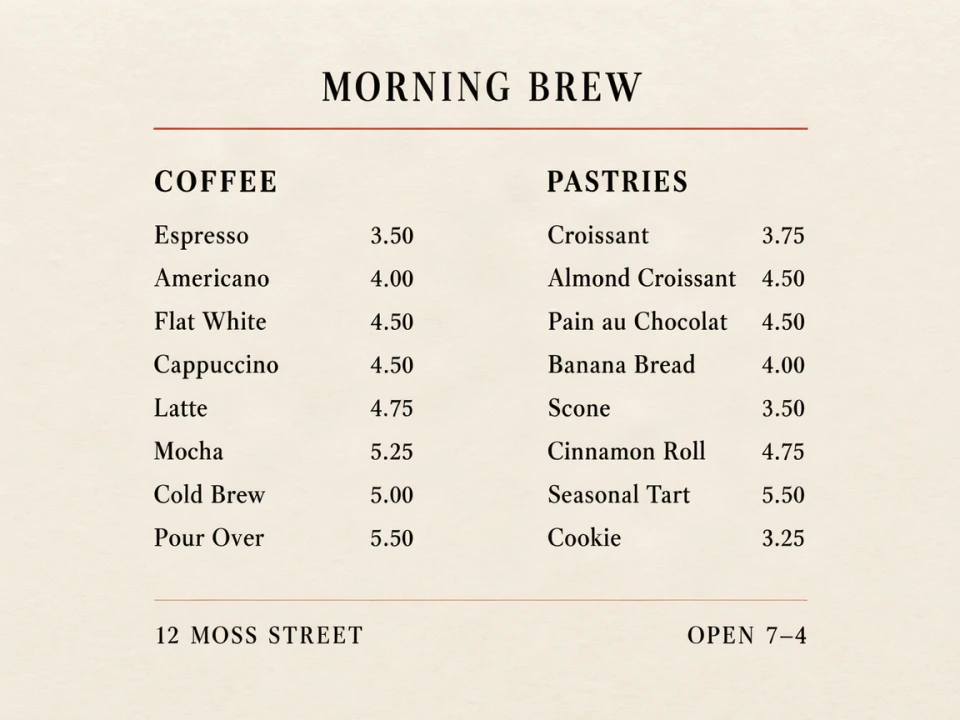
A straight-on cafe menu board photographed flat, cream paper with black ink and a thin vermilion header rule. Header: "MORNING BREW". Two columns. Left column heading "COFFEE", with eight items and right-aligned prices: "Espresso 3.50", "Americano 4.00", "Flat White 4.50", "Cappuccino 4.50", "Latte 4.75", "Mocha 5.25", "Cold Brew 5.00", "Pour Over 5.50". Right column heading "PASTRIES", with eight items and prices: "Croissant 3.75", "Almond Croissant 4.50", "Pain au Chocolat 4.50", "Banana Bread 4.00", "Scone 3.50", "Cinnamon Roll 4.75", "Seasonal Tart 5.50", "Cookie 3.25". At the bottom: "12 MOSS STREET" and "OPEN 7–4". Keep each item and price on the same line. No extra words.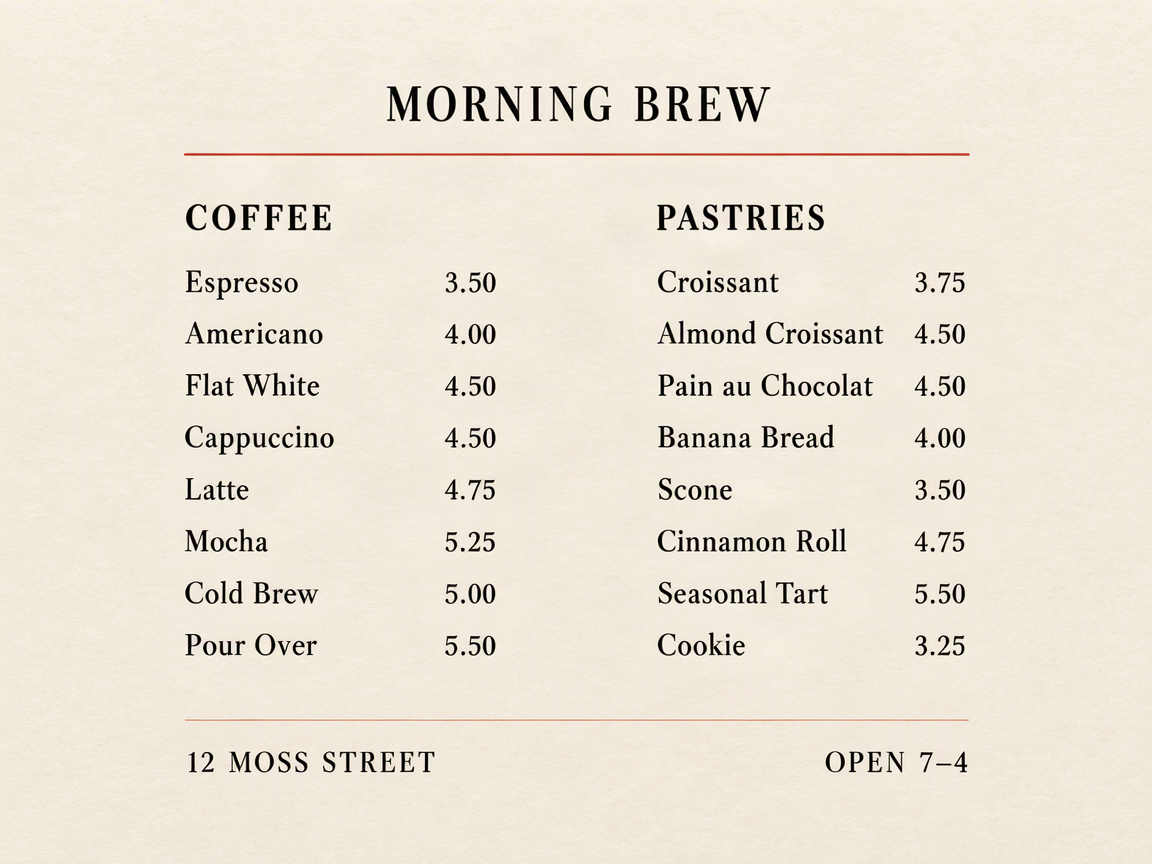
03 / Evidence
What the benchmark found
The full prompts, seeds and failures are on the benchmark page.
| Case | Items | Text fields | Price pairs | Verdict |
|---|---|---|---|---|
| Two-column cafe menu (16 items) | 16 | 21 / 21 | 16 / 16 | pass |
| Three-column dinner menu (21 items) | 21 | 26 / 26 | 21 / 21 | pass |
| Menu with dietary markers (15 items) | 15 | 20 / 20 | 15 / 15 | pass |
| Bilingual tea menu (12 items) | 12 | 15 / 15 | 12 / 12 | pass |
| 30-item menu at Draft 512 | 30 | 35 / 35 | 30 / 30 | pass |
The failure in the benchmark is not a price-list failure. It is a long paragraph at small type: a dense artist statement lost its middle sentences at 512 px and at 1024 px. For menus, keep descriptions to one short line per dish. If you need a paragraph, split it into separate blocks.
04 / Workflow
A menu workflow that checks the expensive parts first
1. Write the menu as plain text, one dish and price per line. Use a consistent separator such as a dash or a tab.
2. Tell the model the number of columns, the section headings, the paper or board color and the type style. Quote the exact lines instead of paraphrasing them.
3. Render a Draft and check every price against the source list. Draft is 512 px and watermarked on free accounts, but it is enough to catch a missing dish or a shifted column.
4. Re-render at 1K for web or 1.5K for print. Compare the final image against the source list one more time, then download the PNG.
05 / Cost
What a menu render costs
Plan price divided by credits. Annual plans are cheaper per credit; one-time packs never expire.
| Tier | Credits | Lite monthly | Pro monthly | Best for |
|---|---|---|---|---|
| Draft | 1 | $0.20 | $0.17 | Checking spelling and columns |
| 1K | 3 | $0.60 | $0.50 | Web, social and client review |
| 1.5K | 7 | $1.40 | $1.17 | Print, large displays, small prices |
| 2K | 12 | $2.40 | $2.00 | The largest canvas |
Free accounts get two watermarked Drafts a day. Paid accounts render watermark-free. See pricing for the full per-render table.
06 / Limits
Where menu prompts still fail
Keep descriptions short
Other limits: very small type, low contrast between ink and paper, a photo taken at a steep angle, and decorative or handwritten type. A hand-written chalkboard with 18 items passed in the benchmark, but it used large, clean chalk lettering. If the source is a real photo with glare and occlusion, expect to iterate.
FAQ
Menu questions
Can I generate a menu from my own dish list?
Yes. Put one dish per line with its price, quote the exact lines you need, and tell the model how many columns to use. Keep descriptions short; long paragraphs are the current weak point.
How many menu items can it handle?
Our benchmark rendered a 30-item, three-column menu correctly at both 1152×864 and 512×512. Readability depends on type size, contrast and how much copy you add. For print, use 1.5K and keep descriptions brief.
Will prices stay with the right dish?
In the current benchmark, every one of the 170 dish and service price pairs stayed with the correct item, including 16-item, 21-item and 30-item menus. You should still check every render before delivery; generative output is probabilistic.
Which render tier should I use for a menu?
Use Draft to check wording and column layout. 1K is the default for web and social. 1.5K is the safer choice for print, large displays and small prices. Draft is watermarked on free accounts; paid accounts render watermark-free.
Does it support Chinese and bilingual menus?
Yes. A 12-item bilingual tea menu rendered all Chinese and English names and all 12 prices correctly in the benchmark. Keep the two languages on separate lines or with a clear separator, and quote the exact copy.
Can I add dietary markers such as V, GF and N?
Yes. A 15-item menu with V, GF and N markers rendered every item and marker correctly. Put the legend in the prompt as its own line so the model does not invent definitions.
More